Connect Claude or ChatGPT to Personal Trainer Software
MCP lets an assistant like Claude or ChatGPT work with your coaching data instead of text you paste in. Here is what a trainer can ask, what stays in your hands, and the security questions to settle first.
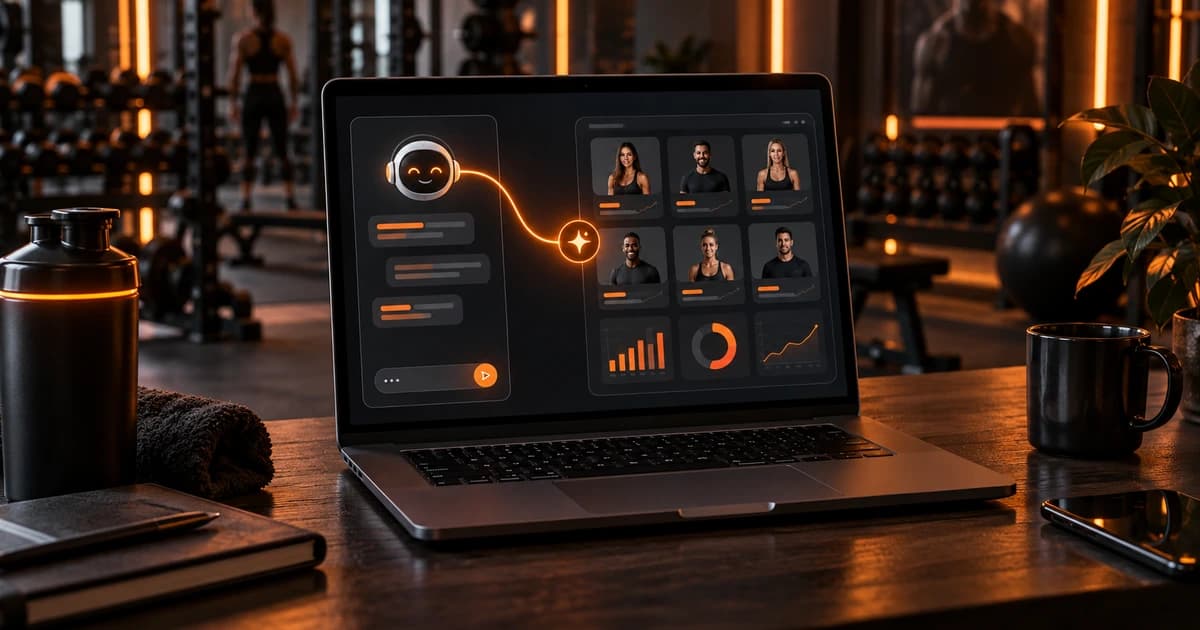
Can you connect Claude or ChatGPT to your personal trainer software?
Yes, if the software runs an MCP server. Trainera does: trainers from the Starter plan and gyms can connect Claude, ChatGPT or another MCP-capable assistant to their account, then ask about clients, check-ins and plans and have the assistant prepare drafts. The AI works inside the limits of the connection, and an external AI tool cannot switch on an automation.
That is the short answer. The rest of this post covers what MCP actually is, what is worth asking, where the AI stops, and the privacy questions I would settle before connecting anything that touches client health data.
What MCP is, without the jargon
MCP stands for Model Context Protocol. It is an open standard that lets an AI assistant use tools that live in another app. Think of it as a list of actions the app publishes: "list clients", "show the last check-in", "create a draft". The assistant reads that list and calls an action when your question needs it.
Two things follow from that design, and both matter for a coach:
- The app decides what is possible. If the software does not publish an action, the assistant cannot do it, no matter how you phrase the request.
- The assistant works with live data. It reads what is in your account right now, instead of a copy you pasted into a chat last Tuesday.
Trainera runs an MCP server with 100+ tools for trainers and gyms. You do not need to know their names. You ask in normal language, and the assistant picks the tool.
How this differs from pasting notes into ChatGPT
Most trainers who use ChatGPT today copy a client's details into a chat, ask for a program, then copy the answer back into their coaching app. That works, and our practical guide to ChatGPT for personal trainers shows how to prompt it well. The weak spots are obvious once you do it for a few weeks:
- The assistant only knows what you pasted, so it misses the check-in from yesterday or the injury note from March.
- You move text by hand in both directions, which is where mistakes creep in.
- Client data ends up scattered across chat histories you rarely clean up.
With an MCP connection, the assistant asks your software for the data it needs and writes its result back as a draft in the same place. You still decide what happens with it.
What a trainer can ask a connected assistant
In practice, the useful requests fall into four groups. These are examples of the kind of thing you can type, not a fixed menu.
Clients and check-ins
- "Which clients have not submitted a check-in this week?"
- "Summarise the last four check-ins from my Monday group and flag anyone whose sleep or energy scores dropped."
- "Who has a plan ending in the next two weeks?"
Training and nutrition plans
- "Draft a four-week upper/lower block for this client, based on her current plan and last check-in."
- "Make a draft nutrition plan at the calories in his profile, with more breakfast options."
Messages and preparation
- "Prepare short notes for my calls tomorrow: what each client did this week and what they asked about."
- "Write a draft reply to this check-in in my usual tone. Do not send it."
Automation drafts
Trainera Automations send welcomes, reminders and follow-ups to clients on their own, and they are now on every paid trainer plan. Through MCP, an assistant can list the ready-made templates, create a draft, preview the messages and read the activity log. So you can say "draft a missed check-in reminder that waits two days, then preview what the client would get", and read the result before anything goes live.
What the AI never does alone
This is the part I would read twice before connecting anything. A connected assistant is fast, and fast is only good when the brakes are in the right place.
| Task | What the connected AI can do | What stays with you |
|---|---|---|
| Client overview and check-ins | Read and summarise what is in your account | Judging what the numbers mean for that person |
| Training and nutrition plans | Prepare drafts | Reviewing, editing and assigning to the client |
| Automations | List templates, create drafts, preview messages, read the log | Switching it on. An external AI tool cannot activate an automation at all |
| Replies about pain, injury or bad news | Draft wording if you ask | Everything. These should come from you |
Inside Trainera the same idea applies to TRAI, the built-in assistant: it asks for confirmation before it changes data, and AI drafts stay under your control, so nothing is assigned to a client automatically.
My own rule on top of that: nothing reaches a client that I have not read. A draft plan with a sensible structure can still have the wrong exercise for someone with a cranky shoulder, and only you know about the shoulder conversation that never made it into the notes.
How the connection works in principle
The exact screens change often, because Anthropic and OpenAI keep updating how their apps handle connectors. The principle stays the same:
- Check both sides. Your trainer software needs an MCP server (on Trainera: trainers from Starter, and gyms), and your assistant plan needs to support custom connectors. Check the current help pages of Claude or ChatGPT for which of their plans allow that.
- Add the connector in the assistant's settings, using the server details your software gives you.
- Sign in and approve access with your own trainer account. The assistant then acts as you, with the same data you can see.
- Start with read-only questions for a week: summaries, lists, who needs attention. Move to drafts once you trust the answers.
- Know how to disconnect. Find the place where you remove the connector before you need it.
On Trainera, Starter is $19.99 a month in the US (prices on the pricing page are fixed per country). The Free plan does not include the MCP connection.
Built-in TRAI or your own assistant?
You do not need an external assistant to get AI help in Trainera. TRAI, the built-in assistant, drafts training and nutrition plans, workouts, questionnaires, shopping lists and weekly insights, and its chat history is kept on the server and synced between web and phone. The AI fitness coach page shows what it does, and how an AI assistant builds client plans faster walks through a real workflow.
| TRAI (built in) | Claude, ChatGPT or another assistant via MCP | |
|---|---|---|
| Where you use it | Inside Trainera, web and app | In the assistant you already use |
| Extra subscription | No separate AI account needed | Your own plan with that AI provider |
| Changes to data | Asks for your confirmation first | Limited to what the tools allow; cannot activate automations |
| Best for | Coaches who want AI where the coaching happens | Coaches who live in Claude or ChatGPT and want one place to ask |
It depends on how you work. If your day already runs through Claude, adding your coaching data there saves the most switching. If you rarely open an AI app, TRAI is the simpler choice.
Security and GDPR questions to ask before you connect
Check-in answers, body measurements, injuries and food logs are health data. Under GDPR that is a special category, so connecting an AI to it deserves ten minutes of homework. These are the questions I would ask, of any software and any AI provider:
- Which AI provider sees the data? When your assistant reads a check-in, that text is processed by the AI provider. Know which company that is and where it processes data.
- Is my conversation used for model training? Look at the data settings of your Claude or ChatGPT plan. Business plans often handle this differently from personal ones.
- Is there a data processing agreement? If you coach clients in the EU, ask whether one is available for the plan you use.
- What can the connection reach? It acts with your account's access. If you share an account with an assistant or a colleague, fix that first.
- How do I revoke access? Removing the connector should cut access immediately. Test it once.
- Do my clients know? Mention in your privacy notice that you use an AI assistant to prepare plans and summaries. Clients rarely mind; they mind finding out later.
This is not legal advice. If you run a larger business or coach in a regulated setting, ask someone who does privacy law for a living.
Mistakes I see coaches make with AI connections
- Asking for a finished program in one go. Ask for a draft, then edit. Treat it like a junior coach's first attempt.
- Skipping the preview. For automation drafts, always preview the messages and read them as the client would.
- Letting it answer sensitive messages. Pain, injury, pregnancy, eating concerns: write those yourself.
- Connecting and forgetting. Review once a quarter which assistants still have access.
Running a gym instead of a coaching business?
Gyms can connect through the same MCP server, and the questions are different: memberships, staff, check-ins at the door, leads. We covered that side in AI assistant for gym owners, so this post stays with personal trainers and online coaches.
For the full list of what changed around AI, Automations and Community this autumn, see what is new in Trainera for October 2026.
Your first week with a connected assistant
Pick one assistant you already pay for. Connect it, and for the first few days only ask questions: who missed a check-in, whose plan ends soon, what your Monday clients reported. Then let it draft one plan and one automation, review both properly, and decide whether it saved you time. If it did, keep going. If not, TRAI inside the app may suit you better.
See how the MCP connection and TRAI fit into the rest of the Trainera personal trainer software.
Frequently Asked Questions
Can I connect ChatGPT to my personal trainer software?
What is MCP in simple words?
Can Claude switch on an automation in Trainera?
Is it GDPR compliant to use Claude or ChatGPT with client data?
Do I need Claude or ChatGPT if my software has a built-in AI?
Keep Reading
Run your coaching business on Trainera
Your own branded coaching app - clients, plans and payments in one place
Free up to 3 clients, no card. Web, iOS and Android under your brand - and we move your existing clients and plans across for free.
1000+ clients coached on Trainera