Best Calorie Counter App with AI Food Photo
The best calorie counter app with AI food photo lets you snap a photo of any meal and get calories and macros back in seconds, eliminating the manual search friction that kills most calorie tracking habits.
Get your free AI training and nutrition plan in 60 seconds
The best calorie counter app with AI food photo gives you calories and macros the moment you snap a photo
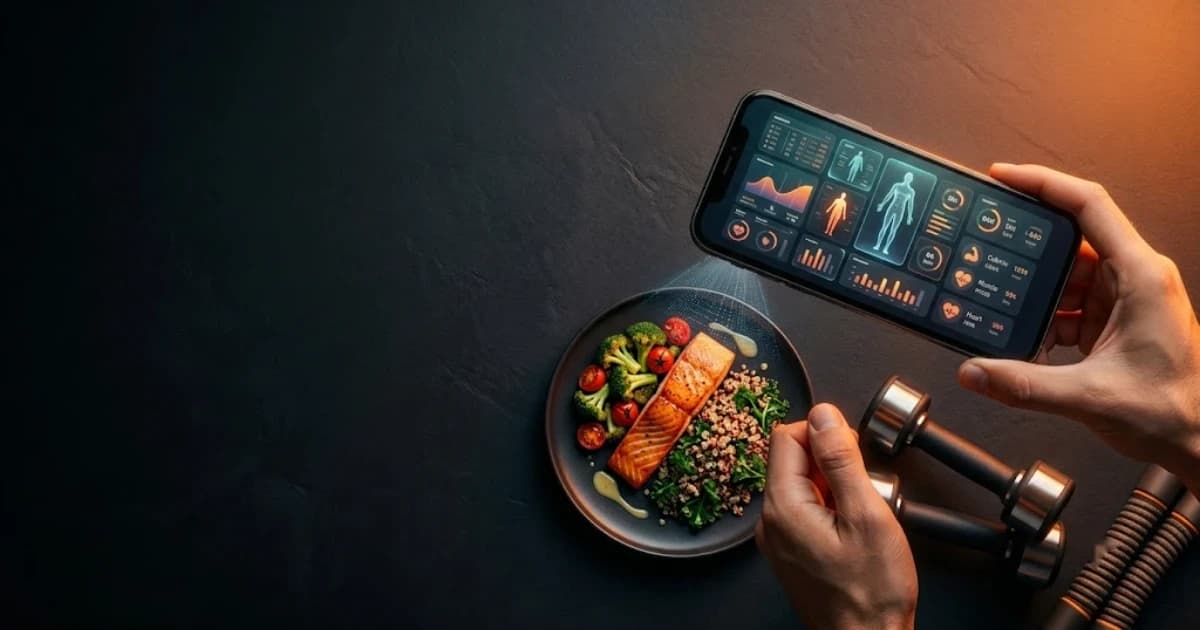
The best calorie counter app with AI food photo recognition is the one that removes enough friction that you actually keep logging. Trainera uses computer vision to analyze a photo of your plate and return an itemized list of foods with estimated calories and macros in seconds, replacing five or six manual searches with a single snap. On top of that it adds barcode scanning, macro graphs, water tracking, a 600-plus meal library, AI shopping lists, training plans and an optional certified coach, all inside one app with a free plan to start.
- Fastest logging method: snap a photo instead of typing to cut logging time dramatically.
- Computer vision food recognition: the AI identifies foods, estimates portion sizes and fills in calories and macros automatically.
- Honest about accuracy: results are editable estimates, and barcode scanning covers packaged items with exact manufacturer data.
- More than a food scanner: training plans, wearable sync and an optional human coach live in the same app.
Why manual calorie tracking is where most people quit
Every classic calorie tracker works the same way. You finish a meal, open the app, type the name of a food, scroll through near-identical entries, guess the portion sizes, then repeat for every ingredient on the plate. Done once, it is tolerable. Done three to five times a day, every day, it grinds people down. Most users are enthusiastic for a week, start skipping meals, then stop logging entirely.
The problem was never willpower. It was friction. A homemade plate of rice, chicken, roasted vegetables and a sauce can be five or six separate searches, each with a portion you have to estimate anyway. By day three the effort outweighs the benefit, and the calorie tracking app becomes another icon you never open. If you have downloaded a food diary app with good intentions and quietly abandoned it, friction is the reason.
The solution is not trying harder. It is removing the steps. When logging a meal takes one action instead of six, the habit survives long enough to produce real change. That is the core logic behind photo-based calorie counting.
How Trainera's AI food photo works step by step
The workflow is straightforward. Open Trainera, select the meal slot you want to log, and tap the camera icon. You can take a fresh photo or pull one from your gallery if you photographed lunch earlier. The moment you confirm the image, computer vision scans it, performs food recognition across everything visible on the plate, and returns a draft list of foods with estimated calories and macros already populated.
From there you review the draft. You can adjust a portion size up or down, remove an item the AI identified incorrectly, or add something it could not see, such as cooking oil absorbed during frying or a sauce added at the table. When you save, the entry flows straight into your daily calorie tracker and updates your running totals for protein, carbs, fat and total calories. The whole process from snap to saved entry typically takes under thirty seconds.
This changes the psychology of logging. Instead of staring at a blank search box, you are reviewing a smart first guess. That shift is what keeps people tracking calories past the first week, which is the only thing that actually moves the needle on a fitness goal.
How accurate is AI food photo calorie counting?
The honest answer matters more than a marketing claim. AI food photo analysis produces an estimate, not a laboratory measurement. The food recognition performs well on common dishes, standard portion sizes and clearly plated meals, but the technology cannot weigh your food to the gram, detect hidden butter in a sauce, or distinguish a low-fat yogurt dressing from a cream-based one. No photo tool can, and any app claiming perfect accuracy is overpromising.
What makes the estimate genuinely useful for calorie tracking is that every figure is editable. You review what the AI found, correct any portion sizes that look off, and save only what you are happy with. For everyday logging, a fast editable estimate you actually record is far more valuable than a theoretically accurate number you never log because manual entry wore you out. Consistency, not decimal-point precision, is what drives progress toward any fitness goal.
For items where accuracy matters most, barcode scanning fills the gap. Scan any packaged product and Trainera pulls the manufacturer's exact nutrition data, so there is no guesswork on anything with a label. Use the photo for home-cooked meals and the barcode for packaged goods, and you have a practical system that covers nearly everything you eat.
Full calorie and macro tracking features inside one app
A strong macro tracker app is more than an entry form, and Trainera is built as a complete nutrition tool. Every log entry, whether it comes from a photo, a barcode scan or the built-in library, updates your daily totals and feeds clear macro and calorie graphs so you can see protein, carbs and fat trend over days and weeks rather than just the current day. History is stored, so progress is visible rather than something you have to remember or reconstruct.
The 600-plus meal library includes dietary tags and pre-calculated macros, so you can log a balanced meal in one tap without building it from scratch. Custom foods let you save your own recipes or frequent meals so your usual breakfast is one tap forever after. Water tracking keeps hydration data next to your food log instead of in a separate app. And the AI shopping list feature converts your meal plan directly into a ready-to-use grocery list, shifting your approach from passively recording what you already ate to actively planning what you will eat, which is where meaningful change begins.
Setting personal goals is central to the experience. Trainera lets you define calorie and macro targets based on your objective, whether that is fat loss, muscle gain or maintenance, and the daily dashboard shows you how close you are in real time. The macro calculator on the website can help you set those targets before you even open the app.
Nutrition and training together in one place
Most people counting calories are also training, and that usually means two separate apps that never exchange data. Trainera combines both. Alongside the full nutrition suite you get structured training plans, a library of more than 1,600 exercises with video demonstrations and muscle maps, live workout tracking with a rest timer, and personal record logging, all on web, iOS, Android and Apple Watch.
Because food and workouts share the same platform, weekly AI insights can look at patterns across both sides at once, something no standalone food scanner app can do because it only ever sees half the picture. Wearable sync extends this further: Apple Health, Fitbit, Polar, Google Fit, Huawei Health and Android Health Connect all connect to bring steps, heart rate and sleep data into the same dashboard as your calorie and macro totals.
Common mistakes people make with calorie counter apps
Even with a great tool, a few habits tend to undermine results. First, logging only some meals. Skipping restaurant meals or weekend eating because they feel hard to estimate defeats the purpose of calorie tracking. A rough photo log of a restaurant plate is better than no entry at all, because the pattern across the week matters more than any single number.
Second, ignoring drinks. Juice, oat milk, protein shakes and alcoholic drinks all carry calories that add up quickly. Trainera's diary has a dedicated drinks section that makes it easy to remember. Third, setting targets that are too aggressive. Extremely low calorie goals are hard to sustain and often cause people to abandon the app when they inevitably go over. A moderate, realistic target combined with consistent logging produces better outcomes than a perfect plan you follow for five days.
Add a real coach whenever you need one
When the numbers are not the problem and accountability is, Trainera lets you step up without changing apps. Browse the trainer marketplace, review coach profiles and send a coaching request directly from the platform. Your calorie history, macro trends and training logs are already visible to your coach from day one, so they can give informed feedback without asking you to start over somewhere else.
You begin as a solo user with the AI food photo and the free plan. If you want a human in your corner later, you add one. Nutrition, training and coaching stay in the same place rather than spread across three separate subscriptions.
Privacy, languages and getting started
Before committing to any calorie counter app, it is reasonable to ask about data handling. Trainera maintains a clear privacy policy covering how food photos and user data are stored and used, which you can review on the website before creating an account. No personal data or food images are used in ways you have not agreed to.
The app runs in 23 languages, including Bosnian, Croatian, Serbian, German, Spanish and English, with automatic language detection. A calorie tracker you can read in your own language is one you will actually return to. The free plan includes the AI food photo, barcode scanning and macro graphs, so you can test every core feature before deciding on a paid upgrade.
Ready to make calorie tracking a habit that sticks? Start free on Trainera, snap your first meal, and let the AI handle the typing.
Related reading
Frequently Asked Questions
What is the best calorie counter app with AI food photo?
How accurate is AI food photo calorie counting for portion sizes?
Is photo logging really faster than a manual calorie tracker?
Does Trainera have a privacy policy for the food photos I upload?
Keep Reading
Put this into practice with Trainera
Get your free AI training and nutrition plan in 60 seconds
1800+ exercises, photo-AI food logging, wearables and progress tracking - free, no card needed. Train solo or with a certified coach.